

Updating passkeys on user devices

WebAuthn Level 3 adds PublicKeyCredential.signalCurrentUserDetails(), a small but useful API for keeping the passkey names shown on a user’s device aligned with the account details they use today.
This is not about changing authentication identifiers. It is about updating the local label a user sees in their password manager after a typo is fixed or an account username or email address changes.
What signalCurrentUserDetails() does
Section titled “What signalCurrentUserDetails() does”signalCurrentUserDetails() tells the browser or password manager to update the local metadata associated with a passkey.
In practice that means you can change the name a user sees in places like Apple Passwords, Google Password Manager, or browser-managed passkey UI without re-registering the credential.
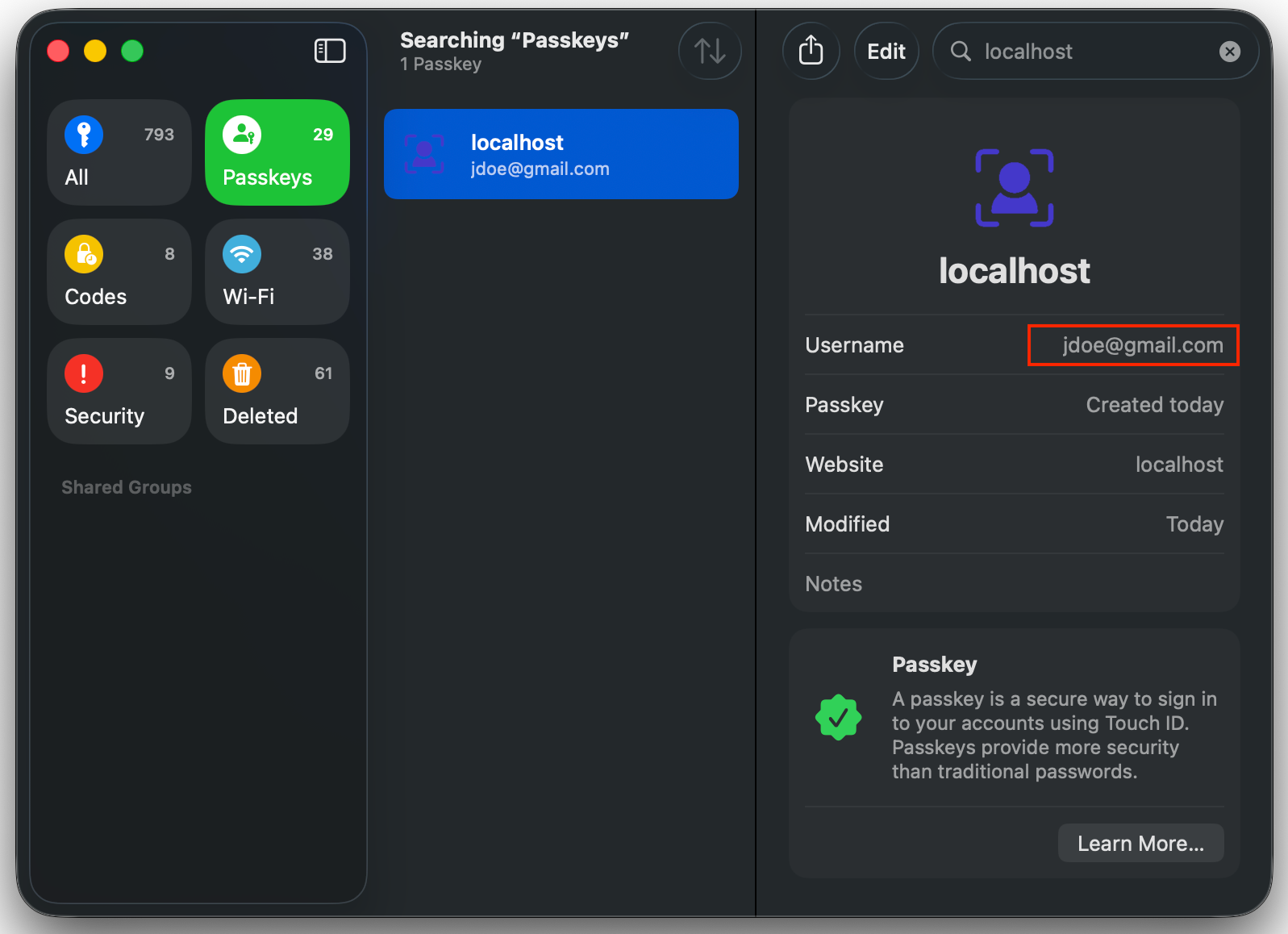
Becomes…
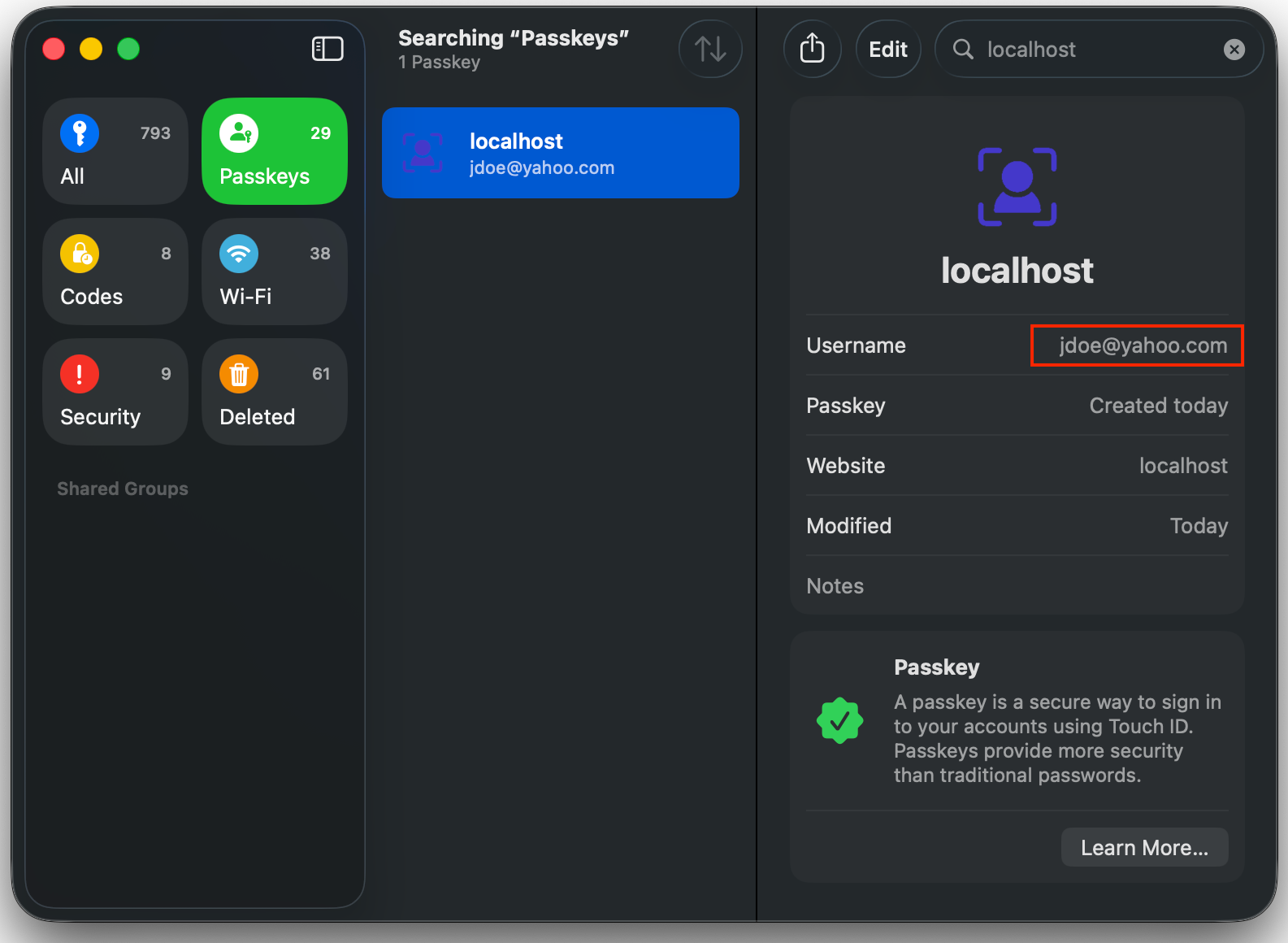
It is important to keep the scope clear:
- It updates local display metadata on the device.
- It does not change the credential ID.
- It does not change the WebAuthn
user.id. - It does not change your backend account identifier.
Why passkey names need to change
Section titled “Why passkey names need to change”Passkeys often outlive the account data they were created with.
Someone might register a passkey with jonh@example.com, then later fix the typo to john@example.com. Someone else might rename an account from a personal email address to a work email address. In both cases the passkey can continue to authenticate correctly, but the label shown in the password manager is now stale.
That stale label creates needless confusion:
- the user sees the wrong email address when choosing a passkey
- support teams have to reason about old and new names
- the device appears out of sync with the account even though authentication still works
signalCurrentUserDetails() fixes that gap. It lets you align the device-local passkey name with the current account username and display name.
Using the raw WebAuthn API in browser JavaScript
Section titled “Using the raw WebAuthn API in browser JavaScript”The raw API is client-side only. You should first check for support, then pass the relying party ID, the credential’s WebAuthn userId, and the new names:
const credential = { rpId: "example.com", // Base64URL encoded credential userId (binary) userId: "MTVkMTFmdHM1Yzg0bDN0anpieG9w",};
const updates = { name: "john@example.com", displayName: "John Example",};
if (typeof PublicKeyCredential?.signalCurrentUserDetails === "function") { await PublicKeyCredential.signalCurrentUserDetails({ ...credential, ...updates, });
console.log("Local passkey details updated");} else { console.log("This browser does not support signalCurrentUserDetails()");}Two details matter here:
nameis the username-like label shown for the passkey.userIdis the credential’s WebAuthn user ID, not your own arbitrary application user ID.
That rpId and userId data usually comes from passkey metadata you already store on the backend. If you are using Passlock, your backend prepares a short-lived update token and the browser exchanges that token for the exact signal payload.
Because browser support is still evolving, always feature-detect the API and fall back to telling the user how to update or recreate the passkey manually when the signal is unavailable.
Using the @passlock/browser library
Section titled “Using the @passlock/browser library”If you are already using Passlock, the easier route is the prepared-token updatePasskeys flow from the @passlock/server and @passlock/browser libraries.
import { Passlock as ServerPasslock } from "@passlock/server";
const passlock = new ServerPasslock({ tenancyId, apiKey });
const prepared = await passlock.updatePasskeys({ userId: "myUserId", username: "john@example.com", displayName: "John Example",});Return prepared.value.updatePasskeysToken to the frontend, then pass it to the browser helper:
import { updatePasskeys } from "@passlock/browser";
await updatePasskeys({ updatePasskeysToken: "token-from-your-backend",}, { tenancyId: "myTenancyId" });Passlock snapshots the server-authorized signal payload into the prepared token, so the browser never needs raw credential IDs, RP IDs, or WebAuthn user IDs from your application code.
Under the hood, the browser library maps:
usernameto WebAuthnnamedisplayNameto WebAuthndisplayName
The server-side helper updates the stored Passlock vault username. displayName is included in the browser signal token but is not stored as durable Passlock passkey metadata.
Keep the server and the device in sync
Section titled “Keep the server and the device in sync”The most reliable flow looks like this:
- Update the user’s account data in your own backend.
- Update any server-side passkey metadata you keep.
- Call
signalCurrentUserDetails()or Passlock’s browserupdatePasskeys()helper to refresh the device-local label.
That gives you the best of both worlds: the server stays authoritative, and the user sees the right passkey name on their device.